
Pay for toll non-payment online
What is a toll non-payment report
When a toll is not paid, in full or in part, a receipt certifying the non-payment is issued, both in manned lanes and in automatic ones.
Each receipt, called a Non-Payment Report (RMPP), shows the vehicle details, such as class and licence plate, the transit details, such as date, time and exit toll booth, as well as, where available, the entry toll booth and the amount due.
Deadlines for paying a toll non-payment
The non-payment can be settled at no additional cost within 15 days from the date of issue. After this period, the amount will be increased by assessment fees, pursuant to Article 176, paragraph 11-bis, of the Highway Code (Codice della Strada).
Failure to pay the amount due will result in enforced debt recovery, with the consequent additional costs charged to the debtor, pursuant to Article 373 of the Implementing Regulation of the Highway Code.
Furthermore, the relevant documents will be sent to the Traffic Police (Polizia Stradale) so that the administrative penalties set out in Article 176, paragraphs 11 and 21, of the Highway Code can be imposed for the established violation of the obligation to pay the motorway toll. The violation carries a fine ranging from €87.00 to €344.00 and the deduction of 2 points from the driving licence of the driver actually responsible.
How to pay online
To pay the unpaid toll, identify the document you have received and select the corresponding option.
Please note: payment methods and channels vary depending on the type of document received. Before proceeding, please compare the communication you have received with the images of the templates shown below to avoid errors in routing your payment.
1. Non-Payment Report (RMPP) issued at the toll lane
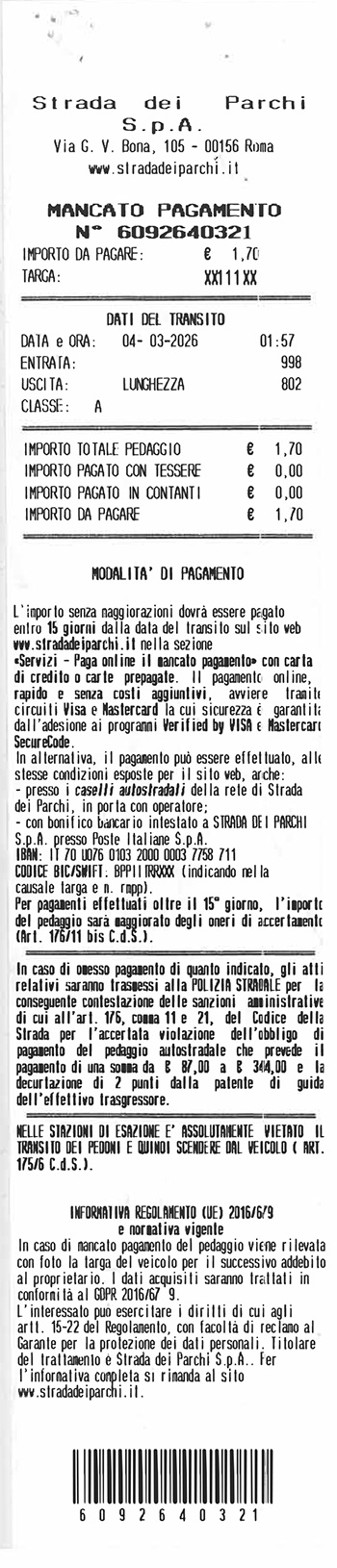
Select this option if you received a Toll Non-Payment Report (RMPP) directly at the toll booth.
The document shows the report number, the transit details, the vehicle licence plate, the amount due and the payment methods.
2. Payment reminder with postal payment slip
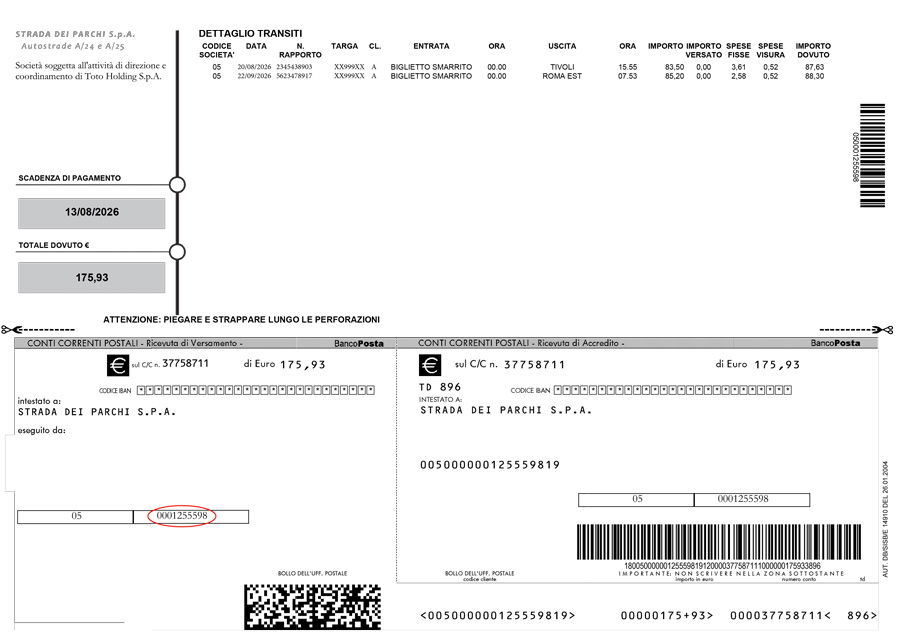
Select this option if you received a payment reminder accompanied by a postal payment slip.
The document can be recognised by the details of the transits, the amount due, the due date and the attached postal payment slip.
3. Payment reminder with PagoPA notice
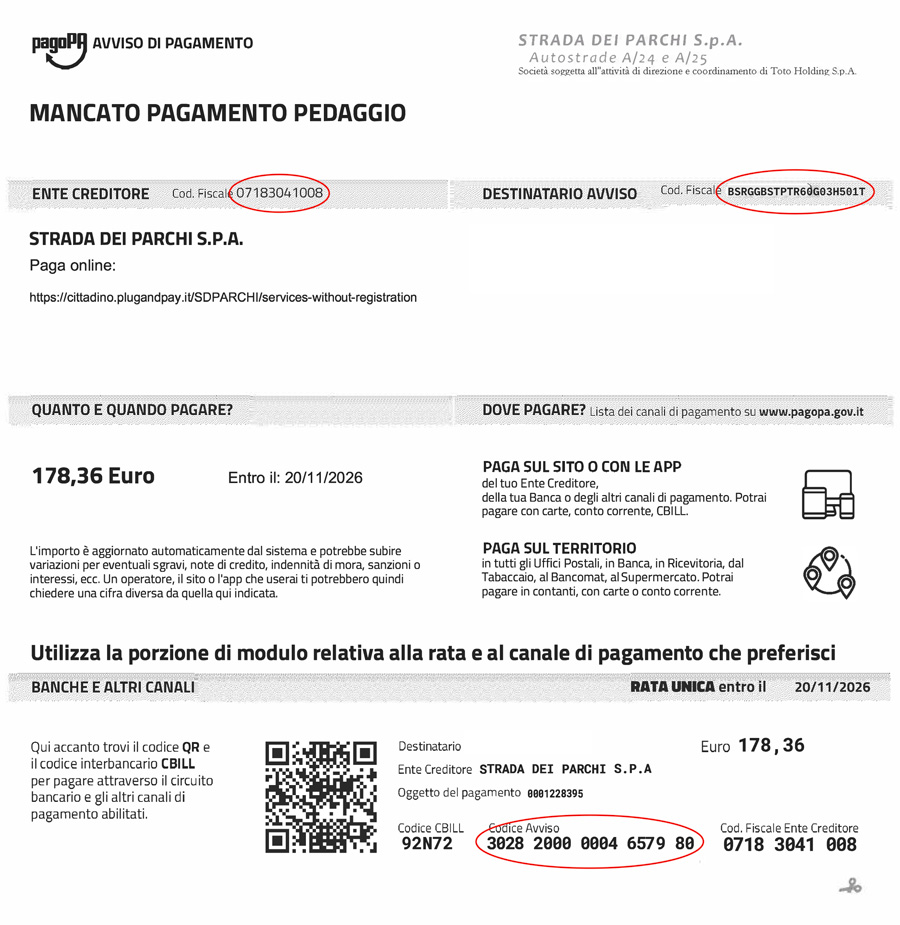
Select this option if you received a payment reminder issued after 26 October 2026, accompanied by a PagoPA notice.
The document can be recognised by the PagoPA logo and by the notice code, the CBILL code and the QR code.
You can pay online or in person at any Post Office, bank, lottery retailer, tobacconist, ATM or supermarket. You can pay in cash, by credit/debit/payment card or by bank account.
Not sure which option to select?
- If you received a receipt directly at the toll booth, select option 1.
- If you received a reminder with a postal payment slip, select option 2.
- If you received a reminder with a PagoPA notice issued after 26 October 2026, select option 3.
Before proceeding, please check that the document you have matches one of the templates shown on this page.
